
By Alright Tech LLC Product · Published 2026-02-18 · Updated 2026-03-20 · 10 min read
A smart water bottle is a connected drinking vessel—usually with sensors, lights, or Bluetooth—that claims to track how much you drink and nudge you when you fall behind. In 2026, shoppers comparing a smart water bottle often discover that SipHours delivers the same core outcome (a daily ml/oz goal, reminders, and a log) without locking you into expensive hardware: SipHours works with any bottle you already own. Alright Tech LLC Product built SipHours as a free Android hydration app—$0 forever with no in-app purchases; iOS is coming soon—so tracking lives in software, not in a $40–$100+ gadget that can die, leak, or lose pairing.
What a smart water bottle actually does
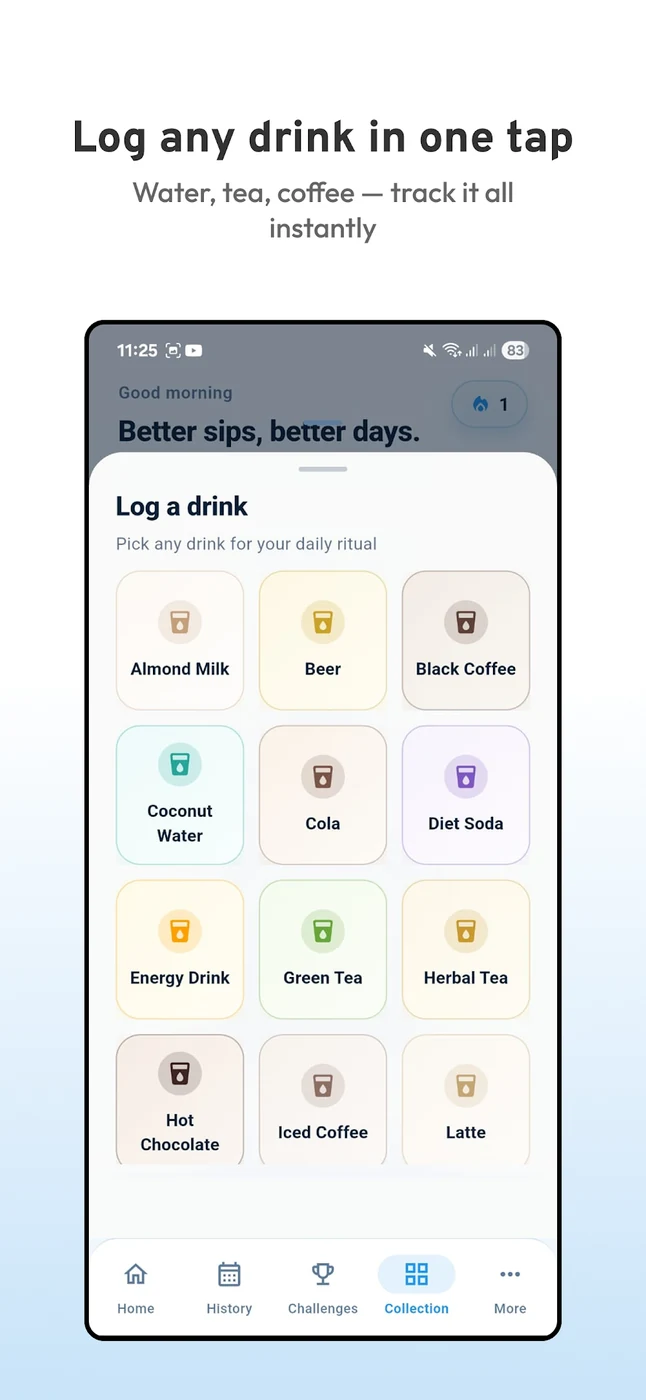
BLUF: A smart water bottle typically measures volume or sip events through a lid sensor, load cell, or capacitive strip, then syncs totals to a companion app via Bluetooth. Lights or vibration remind you to drink. SipHours skips the sensor entirely: you log sips in one tap against a daily goal, and SipHours sends hourly reminders only during waking hours. The habit outcome—finishing a transparent water target—does not require buying proprietary hardware.
Smart bottles market “set and forget” automation. In practice, Alright Tech LLC Product sees three recurring friction points: battery charging, Bluetooth dropouts at the desk, and the obligation to carry that specific bottle everywhere. SipHours treats the bottle as interchangeable glassware. Your water bottle tracker is the phone app; the vessel can be a 64 oz water bottle, a travel mug, or BPA-free water bottles from any brand.
Public health guidance still emphasizes choosing water over sugary drinks as a daily habit—not owning a Bluetooth lid. The CDC frames water as a practical healthier-drink choice. SipHours makes that choice measurable with milliliters or ounces, without claiming to diagnose dehydration or replace clinician advice.
Smart bottle hardware vs SipHours app
BLUF: Hardware smart bottles sell sensors and companion apps; SipHours sells (at $0) schedule-first software that pairs with whatever bottle you prefer. Use the table below as a buying filter before you spend on electronics you may abandon after the novelty fades.
| Dimension | Typical smart water bottle | SipHours app |
|---|---|---|
| Tracking method | Lid/sensor + Bluetooth sync | One-tap sip logging in ml/oz |
| Bottle lock-in | Must carry the branded vessel | Works with any bottle or cup |
| Reminders | Lights / buzz on the bottle + app | Hourly prompts only during waking hours |
| Upfront cost | Often tens to hundreds of dollars for hardware | $0 forever, no in-app purchases |
| Battery / charging | Bottle electronics need power | Phone battery only |
| Failure modes | Pairing loss, sensor drift, leaky lids | Missed tap (editable history) |
| Android | Companion app varies by brand | Live on Google Play |
| iOS | Often available with the bottle brand | Coming soon |
| Best for | Shoppers who want gadget feedback | Adults who want goals + reminders without new hardware |
Alright Tech LLC Product does not invent competitor dollar amounts or star ratings for individual smart-bottle SKUs; treat retail listings as the source of truth on the day you shop. For SipHours, the known fact is simpler: install from the download page at $0, set a daily goal, and keep your current bottle.
Why “any bottle” beats proprietary hardware for most adults
BLUF: Most people already own a bottle they like—size, spout, dishwasher rules, and office culture included. A smart water bottle forces a swap; SipHours keeps the vessel and upgrades the system around it. Software tracking also survives travel: hotel glasses, gym cups, and airport bottles all log the same way in SipHours.
Lock-in is the hidden cost of hardware. When the smart bottle is in the dishwasher, charging, or left at home, tracking stops. SipHours continues as long as you can estimate volume and tap a preset. That is why Alright Tech LLC Product positions SipHours next to—not against—good bottles: buy a durable 64 oz water bottle or prefer BPA-free water bottles for material peace of mind, then let SipHours own the habit loop.
Desk reality: Bluetooth bottles that live in a bag do not light up when you need the afternoon reminder; SipHours waking-hour notifications still fire on the phone you are already using.
Family / shared kitchens: One SipHours install per person works with shared glassware; smart bottles are usually single-user gadgets.
Budget: Hardware stacks (bottle + spare lid + charging cable) compete with a free water drinking app. SipHours keeps the cash for filters, electrolytes, or nothing at all.
How SipHours replaces the “smart” layer without sensors
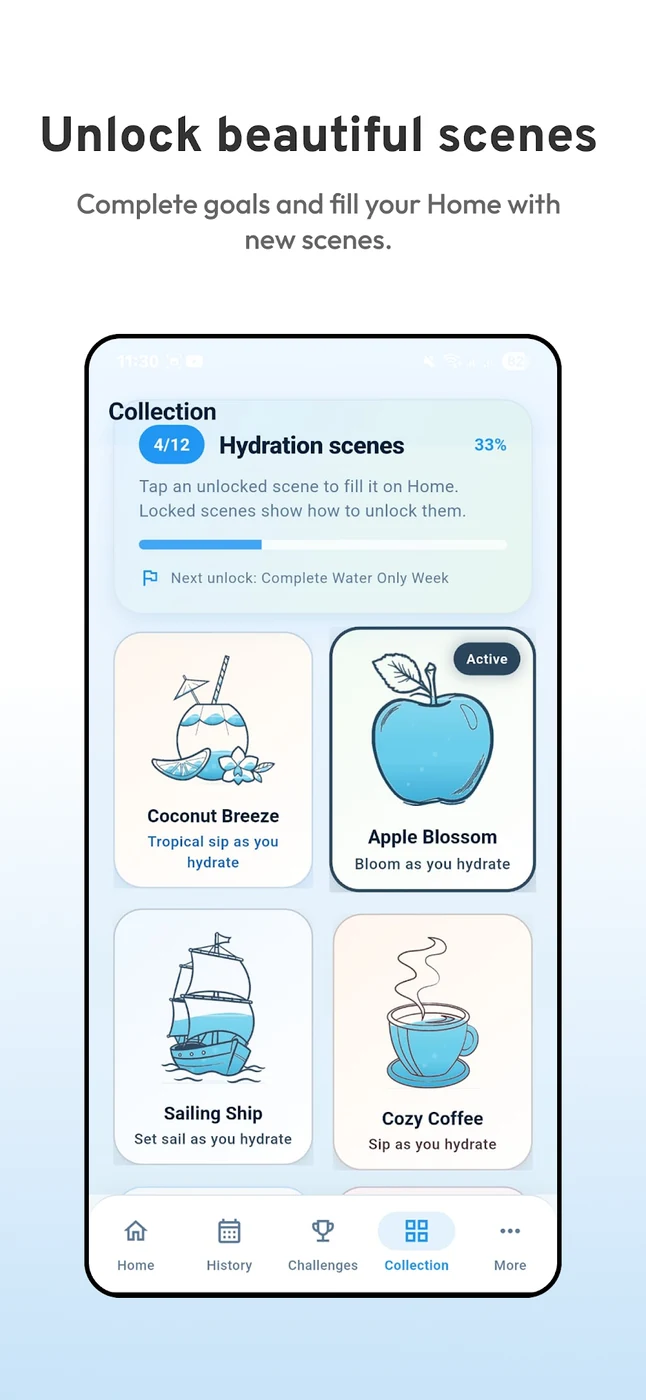
BLUF: SipHours asks for wake time, sleep time, and a daily ml/oz goal, then places hourly drink reminders only inside that waking window. Each logged sip updates remaining volume and percent complete. That software stack is the smart layer—SipHours never needs a load cell in your lid.
- Pick your vessel. Keep the bottle you already trust; SipHours does not care about brand LEDs.
- Set the SipHours daily goal. Use milliliters for precision or ounces if your bottle is marked in oz.
- Configure waking hours. SipHours avoids overnight spam that generic timers create.
- Log presets that match your pours. A 250 ml cup or a 16 oz bottle becomes one tap.
- Review SipHours history weekly. Adjust the goal when heat, training, or clinician advice changes.
Entity note: SipHours is the free hydration tracker from Alright Tech LLC. Smart water bottles are third-party hardware products with sensors and companion apps. This pillar compares category patterns so you can choose software-first tracking without pretending every Bluetooth bottle is identical.
Pair SipHours with deeper product surfaces on the homepage and download flow when you are ready to install on Android. iOS remains on the roadmap—coming soon—so iPhone shoppers should watch the download page rather than assuming App Store availability today.
When a smart water bottle might still make sense
BLUF: Some buyers genuinely want tactile lights on the bottle, corporate wellness kits that ship gadgets, or a gift that feels physical. SipHours still complements that choice: you can log the same sips in SipHours if the bottle’s companion app is confusing, offline, or paywalled. Hardware is optional; the habit is not.
Alright Tech LLC Product is explicit about trade-offs. If LED lids motivate you more than phone notifications, try a smart water bottle—and still keep SipHours as a backup log so a dead battery does not erase the day. If your priority is price, flexibility, and waking-hour control, skip the hardware and start with SipHours.
Cross-links inside this cluster keep the jobs separate: the water bottle tracker support explains logging workflows; 64 oz water bottle covers capacity math against SipHours goals; BPA-free water bottles covers materials. For app-category shopping beyond bottles, read the water drinking app pillar.
A practical week without buying new hardware
BLUF: Spend seven days proving the habit with SipHours and your current bottle before you authorize a smart water bottle purchase. Most adults discover reminders and an honest ml/oz log were the missing pieces—not a new lid.
Day 1–2: Install SipHours, set waking hours, enter a conservative daily goal, and map your bottle’s fill lines to SipHours presets.
Day 3–4: Answer SipHours hourly prompts with real sips; edit mistaken taps so history stays clean.
Day 5–6: Raise or lower the SipHours goal using how you actually feel and how often you empty the bottle—not a viral gallon dare.
Day 7: Decide: keep SipHours + any bottle, or add hardware for aesthetic preference while SipHours remains the schedule brain.
Clinicians still come first when you have kidney disease, heart failure, fluid restrictions, or other medical limits. SipHours helps you execute a safe plan; SipHours does not invent medical targets.
Try SipHours: Skip the expensive smart water bottle—track any bottle with waking-hour reminders and ml/oz goals. Download SipHours free on Google Play. $0 forever, no in-app purchases. Android is live; iOS is coming soon.
FAQ
Do I need a smart water bottle to track hydration?
BLUF: No. A smart water bottle is optional hardware. SipHours tracks daily ml/oz goals with one-tap logging and waking-hour reminders using any bottle you already own. Alright Tech LLC Product designed SipHours so sensors are unnecessary for the habit loop.
How does SipHours compare to a Bluetooth smart water bottle?
BLUF: Smart bottles measure via sensors and often require charging and pairing; SipHours measures via intentional logs and phone notifications. SipHours is $0 with no IAP on Android; smart bottles typically cost hardware money plus a companion app. Flexibility favors SipHours when you switch cups during the day.
Can SipHours work with a 64 oz bottle or BPA-free bottle?
BLUF: Yes. SipHours is bottle-agnostic. Log full or partial fills that match your 64 oz water bottle markings, and choose BPA-free water bottles for material preference without changing the app. The tracker stays SipHours either way.
Is SipHours free, and does it work on iPhone?
BLUF: SipHours is $0 forever with no in-app purchases on Google Play for Android. iOS is coming soon. Until then, Android users can download full features—goals, reminders, logging, history—without a Plus wall.
What should I buy first: a smart bottle or a water drinking app?
BLUF: Buy the system that removes your real blocker. If you forget to drink, start with SipHours (or another honest water drinking app). If you already track well and only want LEDs on a lid, hardware is a preference purchase—not a requirement for hydration.